Who claims best?


Comments
-
-
-
no clue.
 . i dont know much about my computer. or any computer. how could i check?
Right click on My Computer icon.
- Properties
- Hardware
- Device Manager
- Sounds, video and game controller
Tell me what is the name of the soundcard. Maybe Realtek, Soundmax etc.. if its onboard.
If not, you can get Sound Blaster, Prodigy etc..
let me know! -
Right click on My Computer icon.
- Properties
- Hardware
- Device Manager
- Sounds, video and game controller
Tell me what is the name of the soundcard. Maybe Realtek, Soundmax etc.. if its onboard.
If not, you can get Sound Blaster, Prodigy etc..
let me know!
its a realtek high def. audio -
So its an onboard sound card. Do you know the name/brand/model of your motherboard?
Sometimes onboard sound card need some tweak to work properly thats why im asking you
nope. do i have to do the same thing to find out?
i have an emachines ET1831 if that helps any. u could like..just look that up. -
http://www.emachines.com/products/products.html?prod=ET1831-05 that one. its the 05. i forgot to mention that.
ooh the only thing i upgraded on it was the gfx card, its a nvidia geforce 9400gt -
http://www.emachines.com/products/products.html?prod=ET1831-05 that one. its the 05. i forgot to mention that.
ooh the only thing i upgraded on it was the gfx card, its a nvidia geforce 9400gt
Good thing that you did hehe
For the onboard sound, I would first of all, go to the realtek webpage and get the latest audio driver. Secondly, there is an option in onboard sound card (Control Panel, Audio) to choose the bitrate of sound. 16000khz to 44 000khz to 96 000khz if I remember correctly. Sometime, it is set by default at higher than 44000khz which use alot of memory/bandwith in the computer.
Im not quite sure where is this option in your Realtek Card option but just keep searching, youll find it, and DROP the bitrate! even if its 16 000khz, that would be perfect for a game but if you are gonna watch a movie/listening to music, dont forget to put it back to 44 000khz (because the sounds gonna suck hehe)
So if I was you, I would stuck with 44 000khz
-
Good thing that you did hehe
For the onboard sound, I would first of all, go to the realtek webpage and get the latest audio driver. Secondly, there is an option in onboard sound card (Control Panel, Audio) to choose the bitrate of sound. 16000khz to 44 000khz to 96 000khz if I remember correctly. Sometime, it is set by default at higher than 44000khz which use alot of memory/bandwith in the computer.
Im not quite sure where is this option in your Realtek Card option but just keep searching, youll find it, and DROP the bitrate! even if its 16 000khz, that would be perfect for a game but if you are gonna watch a movie/listening to music, dont forget to put it back to 44 000khz (because the sounds gonna suck hehe)
So if I was you, I would stuck with 44 000khz
so uhh...which one do i chose?
-
so uhh...which one do i chose?
Try with the first one, 16bits CD Quality
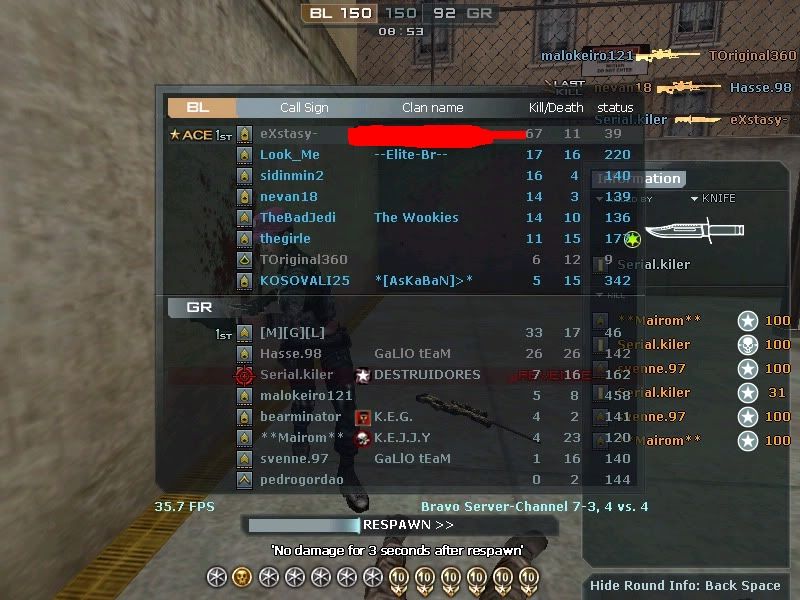
Play in game and look at your FPS.
If it doesnt change anything, it might be coming from the CPU (Celeron) they are not that powerful but.. they do the job
PS: You could also try with the 24bits 44 100khz studio quality




Categories
- All Categories
- Z8Games
- Off-Topic - Go To Game OT Forums
- 1 Z8 Forum Discussion & Suggestions
- 16 Z8Games Announcements
- Rules & Conduct
- 5.3K CrossFire
- 989 CrossFire Announcements
- 985 Previous Announcements
- 2 Previous Patch Notes
- 1.4K Community
- 121 Modes
- 611 Suggestions
- 85 Clan Discussion and Recruitment
- 274 CF Competitive Forum
- 19 CFCL
- 26 Looking for a Team?
- 716 CrossFire Support
- 54 Suggestion
- 119 Bugs
- 29 CrossFire Guides
- 169 Technical Issues
- 48 CrossFire Off Topic