problem ingame

Hello,
When joining a game it loads till 90 % after that it kicks me out to the lobby. when i try and click another room crossfire inmidiatly crashes and gives me a error and just closes. i lost ranked points to this and i cant play anything.
regards,
UHF030
When joining a game it loads till 90 % after that it kicks me out to the lobby. when i try and click another room crossfire inmidiatly crashes and gives me a error and just closes. i lost ranked points to this and i cant play anything.
regards,
UHF030
Comments
-
This is a bug many players are facing currently
In your program files there is a configuration file called 'version'
Usually this is located at C:\Program Files (x86)\Z8Games\CrossFire. Currently the version in there is bugged for some players and displayed as 1330. To fix it do the following:
Step 1: Right click the version.ini file then properties then uncheck the read-only.
Step 2: Change the latest version to 1332 then save.
Step 3: Right click the version.ini file again then check the read-only.
Step 4: Open CFLauncher. -
Hey Utmost ive tried this yesterday it worked. but today ive tried it again cuss of the same **** problem once again. well it doesnt work for me annymore it keeps changing the version back to 1330. ive been dealing with this problem since ive started playing again it all begon after i bought a vip gun since than i have these problems. iam kinda getting sick of the fact that i need to reinstal everyday to play like 1 hour iam kinda done with that tho.
-
This is a bug many players are facing currently
In your program files there is a configuration file called 'version'
Usually this is located at C:\Program Files (x86)\Z8Games\CrossFire. Currently the version in there is bugged for some players and displayed as 1330. To fix it do the following:
Step 1: Right click the version.ini file then properties then uncheck the read-only.
Step 2: Change the latest version to 1332 then save.
Step 3: Right click the version.ini file again then check the read-only.
Step 4: Open CFLauncher.
According to some players experiencing the same problem on Discord this guide didn't quite do the job. They followed the following guide, which fixed the problem:
-
Painanator wrote: »Worked fine whole day, until a just a few hours ago. Now the servers acting like they are getting ddosed.
Probably are some of us do this from time 2 time. Makes the GM's work hard. but they haven't got a clue tbh... which makes me laugh chronic. GM Game Masters like hell they are lol


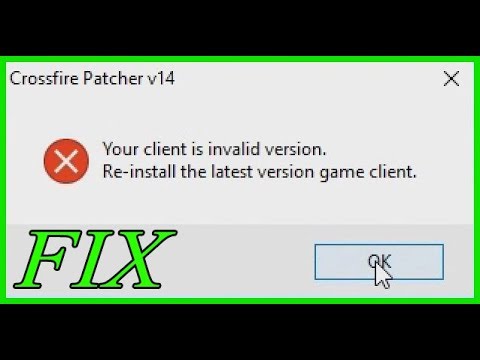 https://www.youtube.com/watch?v=tU9BfmldDlo

Categories
- All Categories
- Z8Games
- Off-Topic - Go To Game OT Forums
- 1 Z8 Forum Discussion & Suggestions
- 16 Z8Games Announcements
- Rules & Conduct
- 5.5K CrossFire
- 1.1K CrossFire Announcements
- 1.1K Previous Announcements
- 2 Previous Patch Notes
- 1.4K Community
- 124 Modes
- 639 Suggestions
- 86 Clan Discussion and Recruitment
- 277 CF Competitive Forum
- 19 CFCL
- 26 Looking for a Team?
- 753 CrossFire Support
- 64 Suggestion
- 124 Bugs
- 30 CrossFire Guides
- 176 Technical Issues
- 49 CrossFire Off Topic