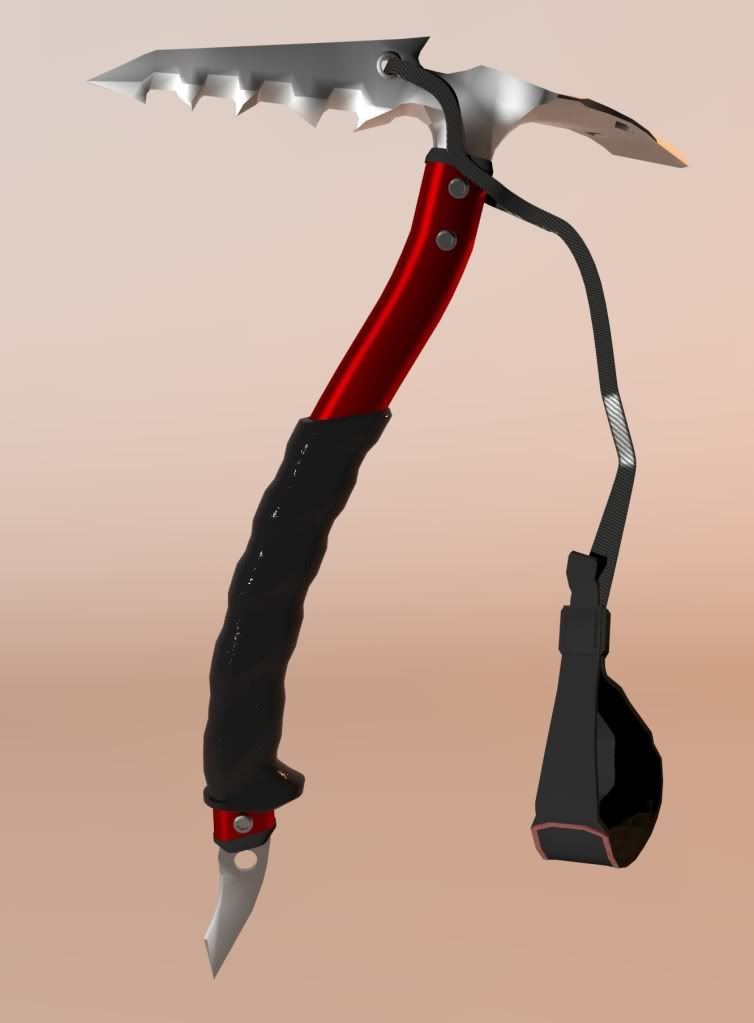
3D WEAPON MODELING...post your creations here
Comments
-
Depends on what you want to use them for.It's never ruined any of my meshes o.o
If you take a box, and cut a circle out if it and render the box with the hole. Then good work!
But if you want to do anything else with it, like play with verticies or go further like sub-d it or something you'll quickly find you were better off cutting the hole yourself!
Also, just cause now I'm all thinking about 3d modeling I made this little picture in paint to show the advantages of 3d modeling with subd as opposed to using squared shapes like Tinapalms are.
It basically has to do with the light coming off the model, nothing is ever made exactly 90 degrees. Models that use this kind of thing always have that slightly "3d" look to them. As in you just know its a 3d model. The light and shadows are just too perfect.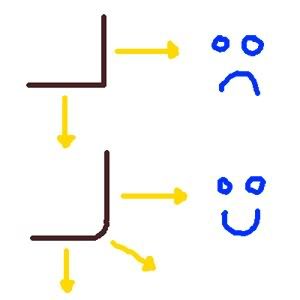
-
Hehe, I don't need a boole for that[GM]Saidin wrote: »Depends on what you want to use them for.
If you take a box, and cut a circle out if it and render the box with the hole. Then good work!
But if you want to do anything else with it, like play with verticies or go further like sub-d it or something you'll quickly find you were better off cutting the hole yourself!
Also, just cause now I'm all thinking about 3d modeling I made this little picture in paint to show the advantages of 3d modeling with subd as opposed to using squared shapes like Tinapalms are.
It basically has to do with the light coming off the model, nothing is ever made exactly 90 degrees. Models that use this kind of thing always have that slightly "3d" look to them. As in you just know its a 3d model. The light and shadows are just too perfect.
I can jsut put a fillet on the cubes it rounds it automatically
But ye, that's all I've really done with them.

-
Sorry the example was actually unrelated to the boolean operation. That was more to show the difference between a 90 degree edge and a hard subd edge (which is actually rounded).
So for the boolean, the line segments that are created don't continue anywhere. they just stop at the vertexes on the boolean.
When you need to triangulate the model to prevent rendering errors the 3d program automatically tries to connect (in the most efficient way) the verticies around the spot. Sometimes that can create errors. And when you use any smoothing operations if you want smooth corners to catch light you'll find that you end up working around the model so much more!
I don't have max on this laptop so I can't really show you an example in real time. But if your curious about some of that stuff I can help you in PMs and show you some good resources for modeling! -
[GM]Saidin wrote: »Sorry the example was actually unrelated to the boolean operation. That was more to show the difference between a 90 degree edge and a hard subd edge (which is actually rounded).
Are you saying subd actually causes this rounded edging? or is it just something you do to the shape itself, by "sub dividing" edges in a way to give a more realistic appearance? -
Interesting, I still don't udnerstand why you don't have a job for 3D modeling, lol.[GM]Saidin wrote: »Sorry the example was actually unrelated to the boolean operation. That was more to show the difference between a 90 degree edge and a hard subd edge (which is actually rounded).
So for the boolean, the line segments that are created don't continue anywhere. they just stop at the vertexes on the boolean.
When you need to triangulate the model to prevent rendering errors the 3d program automatically tries to connect (in the most efficient way) the verticies around the spot. Sometimes that can create errors. And when you use any smoothing operations if you want smooth corners to catch light you'll find that you end up working around the model so much more!
I don't have max on this laptop so I can't really show you an example in real time. But if your curious about some of that stuff I can help you in PMs and show you some good resources for modeling!
I'm not very interested in 3Ds Max atm, if I ever do and need some help, I'll PM you
Off Topic: I added a 'few' more segments to my back end and now its time to make the handle rounded :cool:
-
I'm not very interested in 3Ds Max atm, if I ever do and need some help, I'll PM you
So I know that you're probably not interested in this at all. But I had a little time last night while the servers were down, I just whipped off this really basic example of why I don't like Booleans. Yeah ok, this is probably going a bit far haha but here ya go anyways.
Basically when the cut is made in max it just leaves segments that don't go anywhere. You have to connect them or you'll run the possibility of render errors. But when you connect them you often end up with an ugly looking mesh that can't be smoothed.
The pinkish cubes is a hole that was extruded from a single vertex cut in the middle of a square. Then modeled to be the hole and smoothed in max for yummy results.
This is probably going way overboard for what you're interested in. But that's how I roll.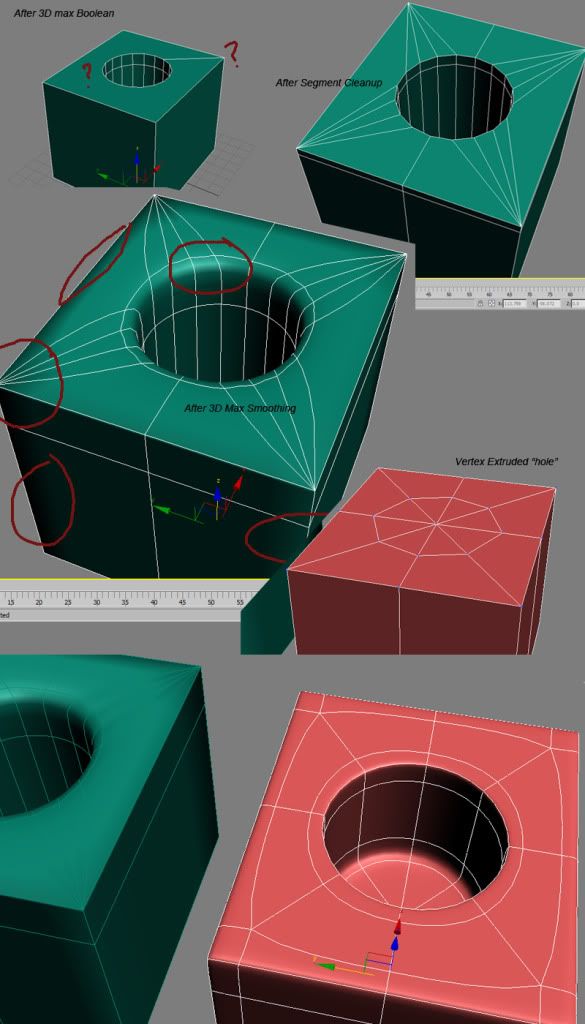
-
o.O[GM]Saidin wrote: »So I know that you're probably not interested in this at all. But I had a little time last night while the servers were down, I just whipped off this really basic example of why I don't like Booleans. Yeah ok, this is probably going a bit far haha but here ya go anyways.
Basically when the cut is made in max it just leaves segments that don't go anywhere. You have to connect them or you'll run the possibility of render errors. But when you connect them you often end up with an ugly looking mesh that can't be smoothed.
The pinkish cubes is a hole that was extruded from a single vertex cut in the middle of a square. Then modeled to be the hole and smoothed in max for yummy results.
This is probably going way overboard for what you're interested in. But that's how I roll.
The segments in Cinema 4D don't look like that when I use a boolean :S
Before I go out, I'll show you how it looks in Cinema 4D.
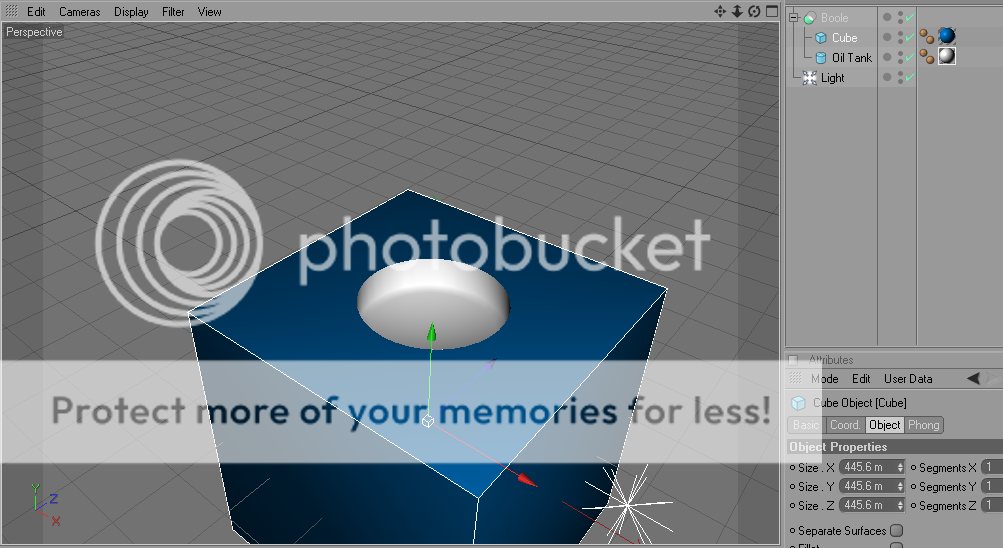
Unless you are talking about them selected as a whole.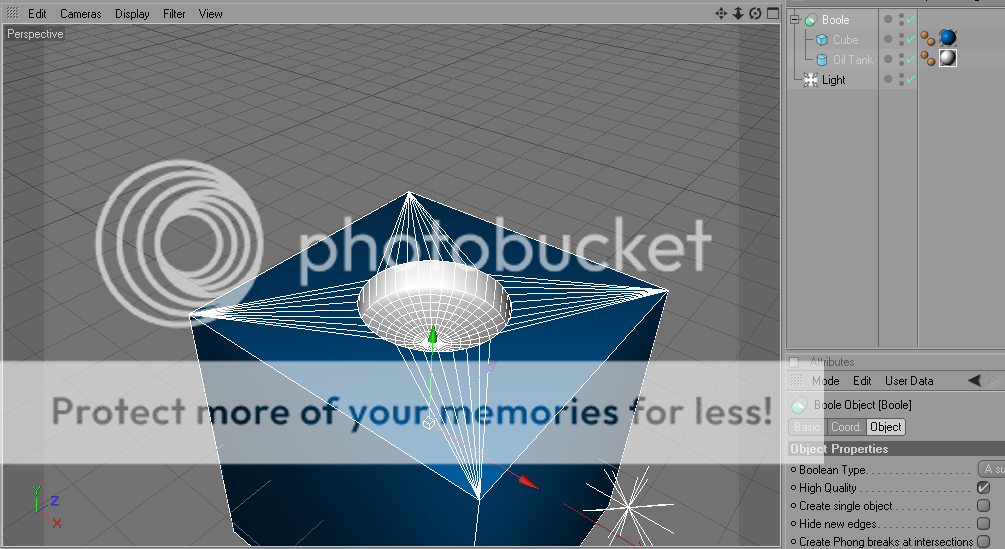
-
o.O
The segments in Cinema 4D don't look like that when I use a boolean :S
Before I go out, I'll show you how it looks in Cinema 4D.
Unless you are talking about them selected as a whole.
The example saidin showed was exactly what you showed lolz. It just looks like cinema does it's best to clean up the mesh itself, without you having to do it manually. -
Well its kinda getting hard to explain so I'll leave it as is.
No object exists with a perfect 90 degree angle on an object. Light does not reflect magically from one side and then to another. Look at any surface and see that the edge probably has a little highlight.
If you want you can try converting your object to a NURBS object. I think that will show you what a sub-division smoothed model will look like in Cinema 4d.
Should also end that by saying Cinema 4D isn't the best program for the kind of modeling I'm talking about anyways since that's not necessarily the purpose of that 3d program. -
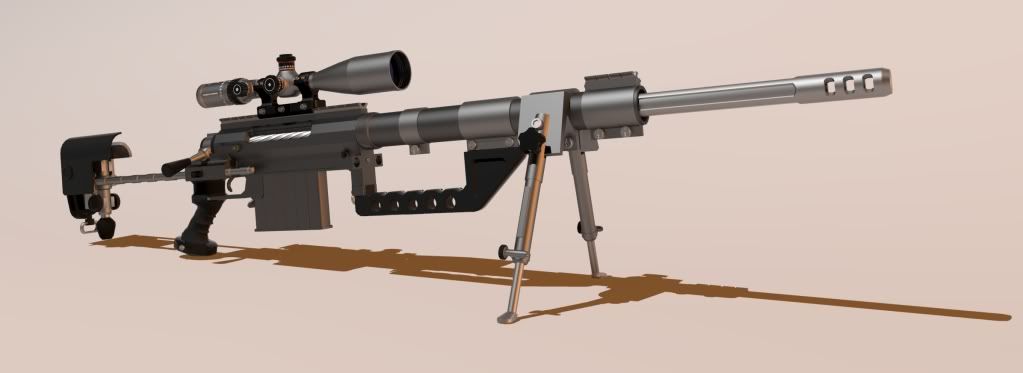
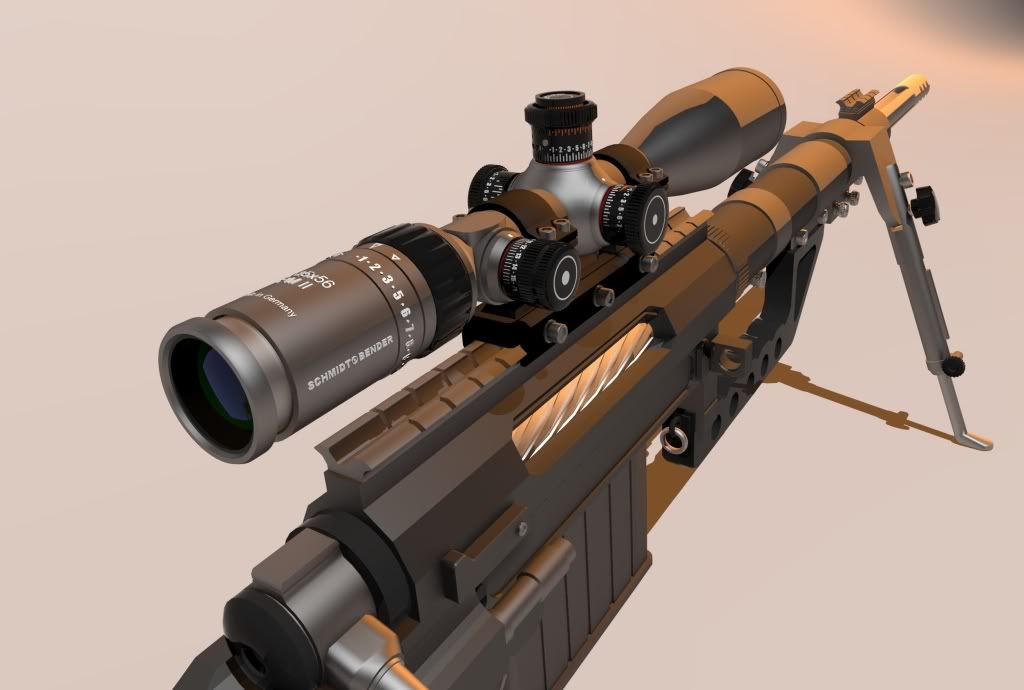
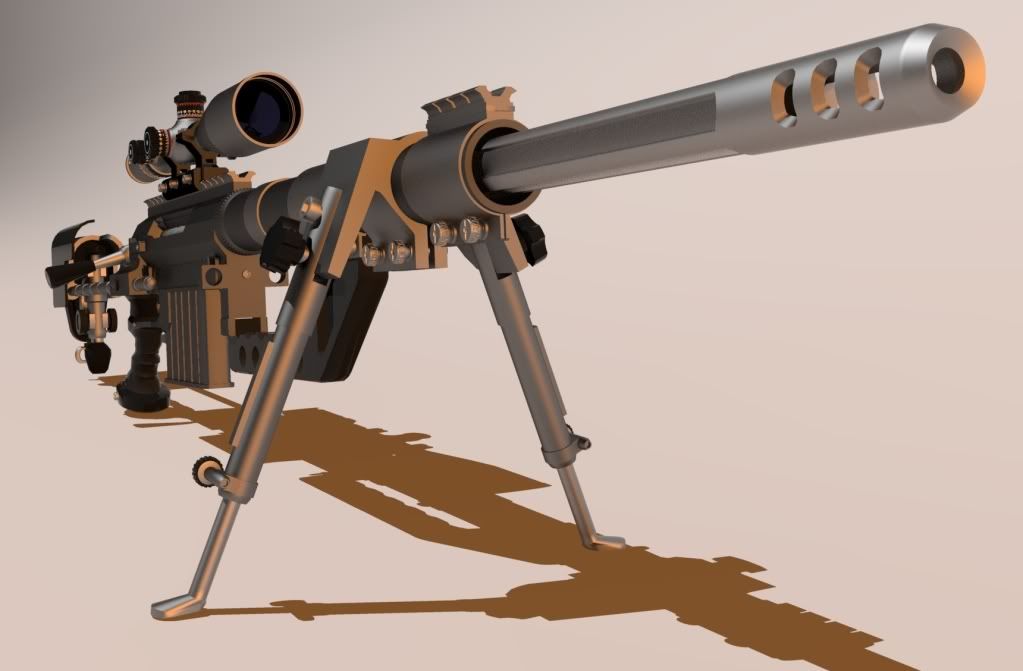
Hears a update of the m200,made some small changes and mounted the new scope i made.
Im sorry that i have nothing new to show,i got stuk at the awm's body its very hard to make,
hope i will find a way soon.
Looks boss with the new scope. -
Ugh, now I feel stupid, 'cuz I was rushing because I had to go, so I only skimmed Saidin's post. And I thought the pink one was a boolean tool also :SMax_Skillz wrote: »
The example saidin showed was exactly what you showed lolz. It just looks like cinema does it's best to clean up the mesh itself, without you having to do it manually.o.O
The segments in Cinema 4D don't look like that when I use a boolean :S
Before I go out, I'll show you how it looks in Cinema 4D.
So I was wondering why his segments went all curvy'n'all. -
well im not exactly sure and probably im rong...so here is my answer:Ugh, now I feel stupid, 'cuz I was rushing because I had to go, so I only skimmed Saidin's post. And I thought the pink one was a boolean tool also :S
So I was wondering why his segments went all curvy'n'all.
his segments went curvy'n'all cuz he subdivided them...



Categories
- All Categories
- Z8Games
- Off-Topic - Go To Game OT Forums
- 1 Z8 Forum Discussion & Suggestions
- 16 Z8Games Announcements
- Rules & Conduct
- 5.5K CrossFire
- 1.1K CrossFire Announcements
- 1.1K Previous Announcements
- 2 Previous Patch Notes
- 1.4K Community
- 124 Modes
- 643 Suggestions
- 86 Clan Discussion and Recruitment
- 277 CF Competitive Forum
- 19 CFCL
- 26 Looking for a Team?
- 759 CrossFire Support
- 64 Suggestion
- 126 Bugs
- 30 CrossFire Guides
- 178 Technical Issues
- 49 CrossFire Off Topic